


“Online assessments offer new and engaging methods that we can implement in our classes for students to demonstrate their learning.”
COVID-19 led to the worldwide closure of schools and universities, forcing them to adopt a remote learning model. Teachers had little time to adapt to online learning that continued classes in the homes. Although technology has evolved rapidly, making it easier for us to do many day-to-day things, the shift to online education has not occurred as smoothly as we would like. This article discusses the challenges of assessing learning and how to implement it in an online environment.
Assessments allow us to determine students’ knowledge and mastery of a topic and identify improvement areas. There are typically two general categories:
-
Formative assessments are informal reviews of students’ knowledge or performance throughout the course. They serve to adjust instruction and educational processes to achieve learning goals, allowing students to demonstrate what they have learned. Teacher feedback provides learners the counsel and opportunity to make changes or improvements in certain areas.
-
Summative assessments are more formal and are used as checkpoints at the end of the year or course to evaluate how much of the content students learned in general. These assessments cover all that the students studied during the year or course. Although you can provide feedback, students may not have another opportunity to make changes.
Formative or Summative assessments can be used in face-to-face or online courses. The latter offers more attractive formats that evaluate innovatively, allowing students to perform, apply the content they have learned, and demonstrate their knowledge profoundly in ways that are not possible with a traditional multiple-choice test.
Authoring tools such as iSpring Suite Max enable instructional designers and education professionals to create online course assessments in a matter of minutes. Through predesigned templates and evaluation methods, it is easy to customize courses with the content of choice. Here are 5 practices for evaluating online learning.
5 practices for evaluating online learning
1. Online questionnaires
A unique feature of online questionnaires is that the order of the questions and the answer choices can be presented randomly, so students do not receive identical ones. Besides, any questionnaire of a traditional class can be easily adapted into an online questionnaire. The activity of grading the questionnaires and comparing students’ performance is straightforward since this is done automatically by the system. You can include “No-score practice” questions and add custom comments for each question or answer option. Types of questions include multiple-choice, fill-in-the-blanks, correlations, and sequences, among others. Here is an example:
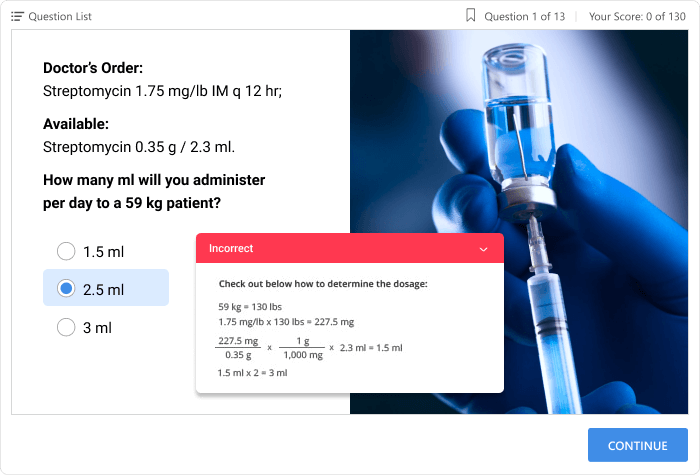
Image 1: Multiple choice questionnaire with automatic feedback.
2. Essay questions
Essay-type questions allow students to demonstrate a more profound mastery of a topic, create unique, well-thought-out answers, and write personal reflections. This participation requires the students to give a higher degree of thought than other kinds of questions. This type of qualitative evaluation is possible in online learning by using text input fields. Answers cannot be graded by an authoring tool or learning management system, so the instructors must grade them manually.
In Figure 2, we can see the following example:
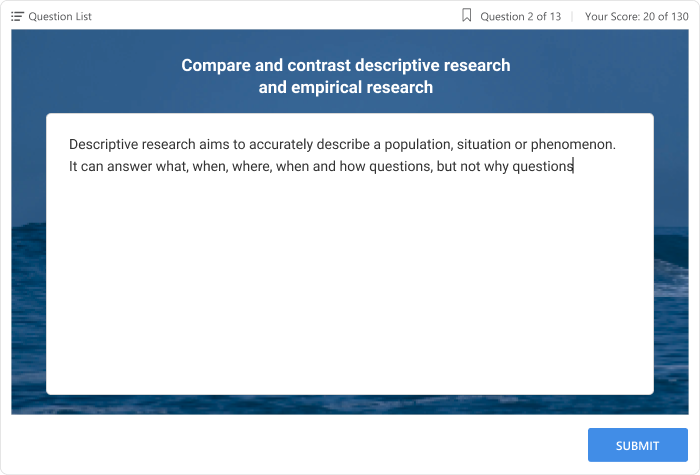
Image 2: Essay-type question from a questionnaire on research methodology.
3. Drag-and-drop activities
This format is particular to online learning. It gives students a practical method to demonstrate their knowledge. In this type of assessment, students are asked to assign items into categories, dragging them across the screen and dropping them in an indicated location. This can be done with images or text. It is an excellent way to evaluate how students would manage real-life situations outside of class.
Authoring tools typically provide templates that allow the user to create drag-and-drop assessments without requiring coding. You need to upload your images, enter your text, and define which objects are dragged and to where. In Figure 3, we can see the following example:

Image 3: Questionnaire about sorting and recycling waste.
4. Dialogue simulations
Dialogue simulations allow students to practice conversations. The characters on stage can include clients and co-workers, and others. The students’ performances can be graded on how successfully they handle the conversation and attain the ideal result. This type of evaluation provides a safe space to practice before trying these conversations in real life.
A simulated dialog tool usually works as follows: first, you need to upload your character(s) and backgrounds, choose them from a content library, and then enter the dialogue and feedback that the students will receive for their correct and incorrect answers. Figure 4 provides an example:
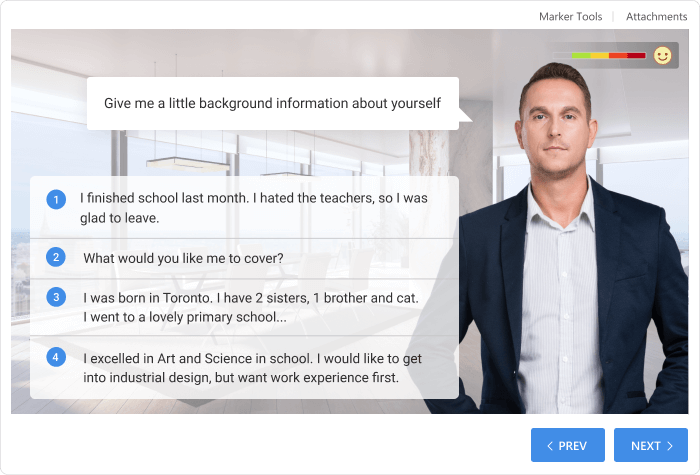
Image 4: Roleplay for an online job interview.
5. Online surveys
Surveys are wonderful formative assessments; they allow instructors to modify instruction based on students’ feedback. Surveys are a quick and effective way to divide the class into groups and keep the audience’s attention during live online presentations. This type of informal assessment captures student feedback instantly. They are typically used to record reactions and perceptions. Surveys can offer information about what the students believe or why they make certain decisions.
If you do online conferencing, you can incorporate tools for conducting interviews. There are specialized online platforms that enable creating, sending, and analyzing surveys. You can also design a survey with eLearning authoring tools, for example, creating a questionnaire with items rated on a Likert scale that helps learners better reflect on their opinion of the item. Figure 5 provides an example.
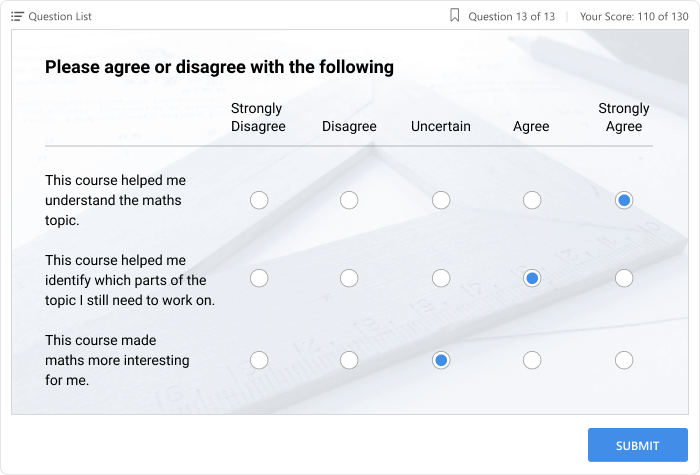
Image 5: Student survey at the end of a mathematics course.
In summary
Evaluation is a necessary practice in the learning process because it shows whether the students have mastered the content and whether the educational objectives have been met. Online assessments offer new and engaging methods that can be implemented in classes, such as real-time surveys, drag-and-drop interactions, dialog simulations with ramifications that allow students to navigate multiple paths through a conversation, etc.
With quick authoring tools, the creation of online questionnaires is done in a matter of minutes by simply uploading and pasting the content. Grading is easily performed, saving hours of manual grading for most types of evaluations. With the options that I present to you in this article, I invite you to meet the challenge of implementing innovative assessment methods that make online learning possible.
About the author
Helen Colman (helen.colman@ispringsolutions.com) is Editor and Content Strategist for iSpring. She enjoys combining rigorous research with her expertise in the eLearning industry.
Edited by Rubí Román (rubi.roman@tec.mx) – Observatory of Educational Innovation.
Translation by Daniel Wetta.