

Currently, the primary concern is not whether we should use Artificial Intelligence (AI) in the classroom, but how we should use it. The main challenges are designing learning experiences, knowing the capabilities of AI, and leveraging its advantages in the classroom, as explained by Professor Reyna Martínez in the current Webinar from Tec de Monterrey’s IFE Observatory. In this session, she introduces us to Teachable Machine, a straightforward tool for training AI models that you can adapt for various educational applications. This article provides a practical guide to understanding the scope of this app and exploring its functionalities.
Through Teachable Machine, students can become familiar with a key AI concept: Machine Learning, which signifies how computers learn from data without being explicitly programmed, an approach that has revolutionized various fields such as image recognition and natural language processing in diverse areas like medicine and finance (Villalón, 2025).
Teachable Machine is a Google web tool that allows you to create AI models without coding. The type of projects we can implement in class with this tool is not chatbots, but projects related to images, sounds, or postures. For example, students can design, train, and evaluate an artificial intelligence model that can solve a problem. Teachers can design real-life activities, encourage students to reflect, and strengthen their critical thinking. Table 1 below shows some educational examples of models trained with Teachable Machine.

Steps to Construct an AI Model with Teachable Machine
In the IFE Observatory webinar, Professor Reyna Martínez creates and trains an AI model that could identify different objects by their images. The model had to identify three types of stuffed animals: a ram, a mermaid, or a teddy bear. This information (see below) can guide you through the steps to create and train your AI model.
1. Enter https://teachablemachine.withgoogle.com. This website provides video tutorials, suggestions, and examples of projects that have been carried out.
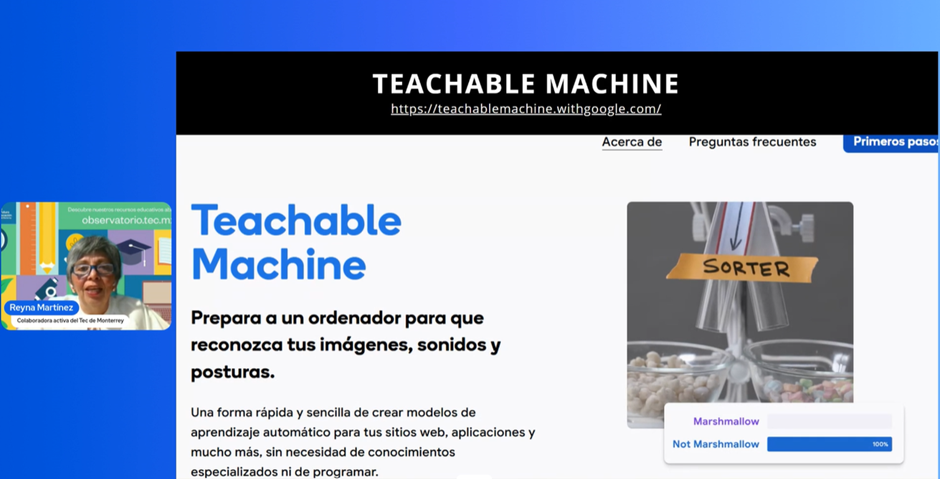
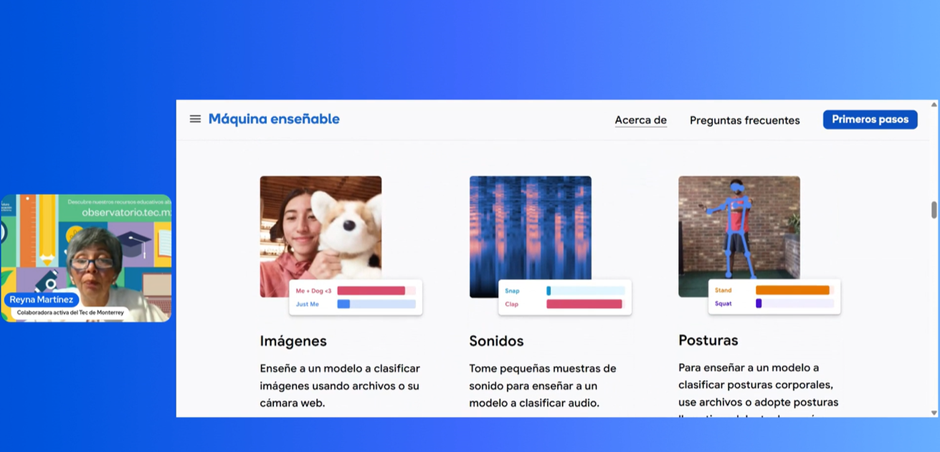
2. Choose the type of project. It can be related to images, sounds, or postures.
3. Define and create your classes. Define the classes or categories that the model will learn to identify. Record or upload examples for each category for training the model. In this webinar, the teacher used three classifications: ram, mermaid, and teddy bear (see images 3, 4, 5, and 6).
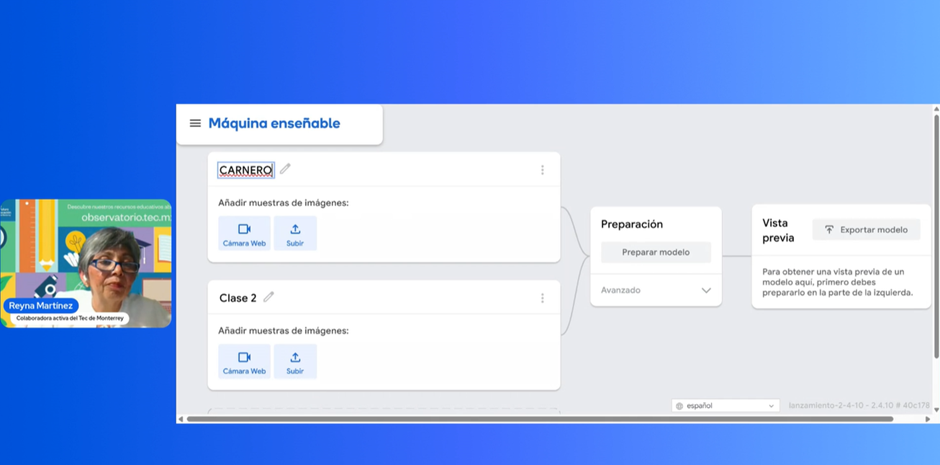
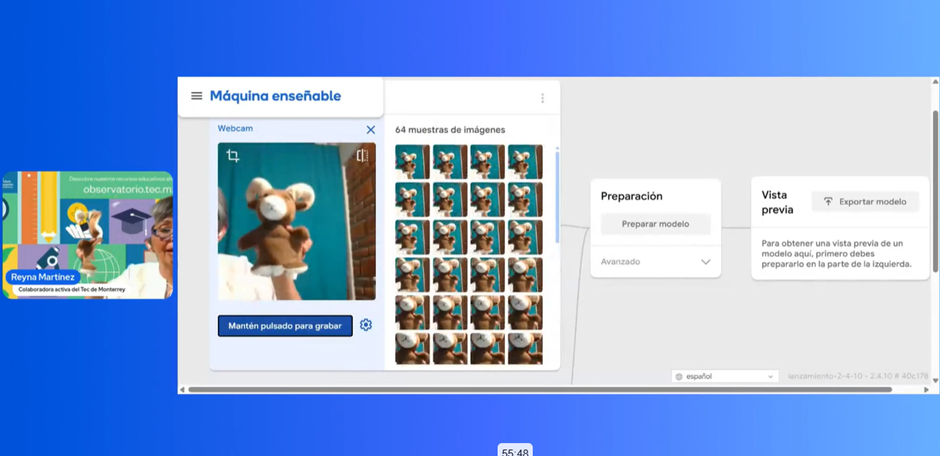
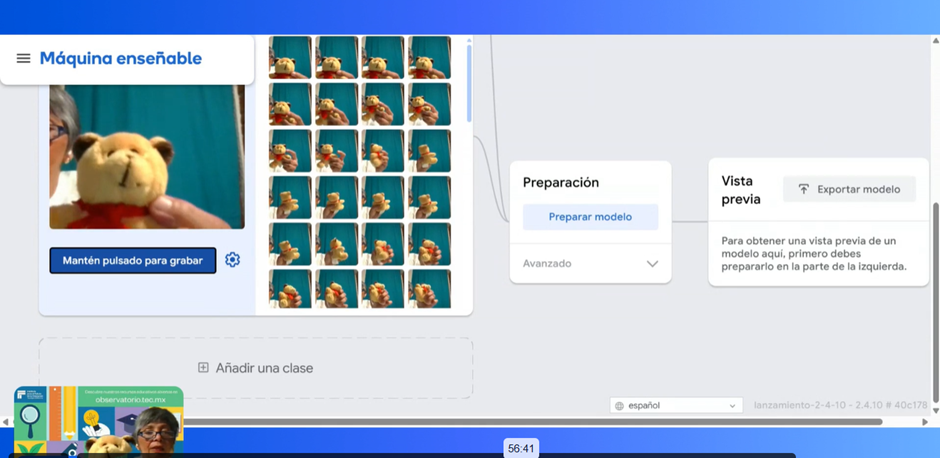
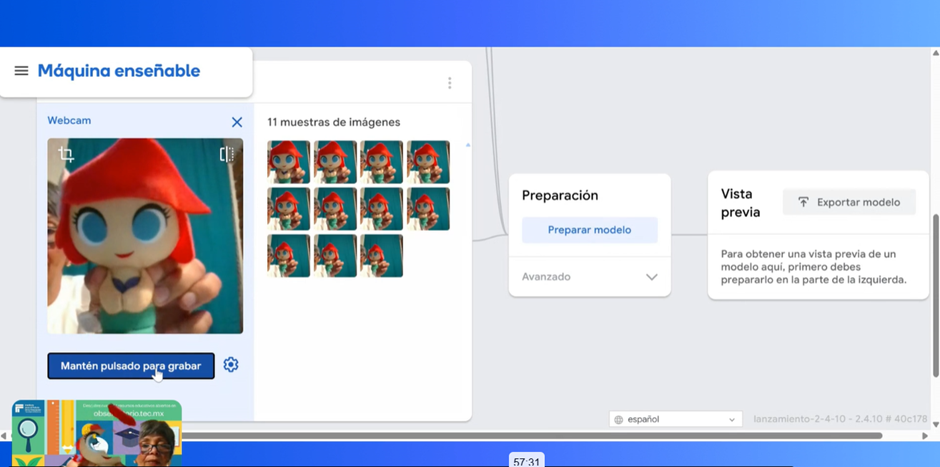
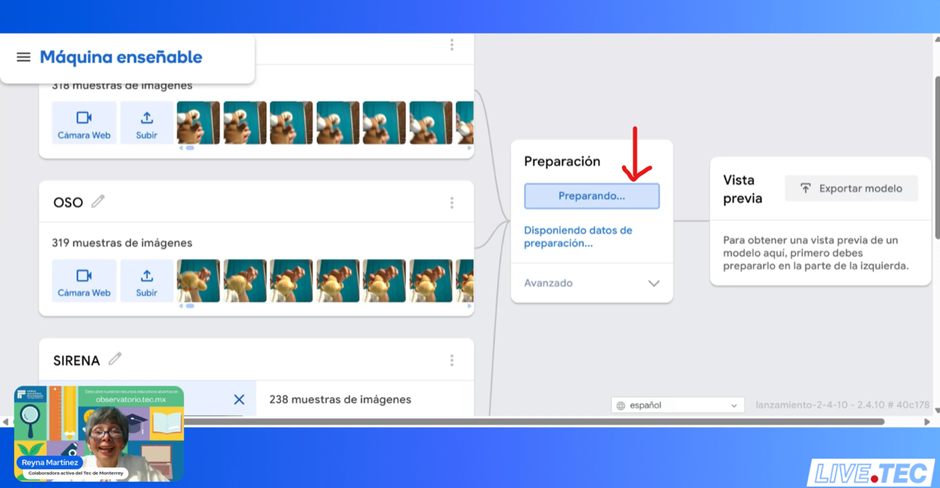
4. Train the model. Click “Prepare Model” and let the system process your examples. This takes a little time; be patient. It is recommended not to close the window during this process or open other programs (see image 7).
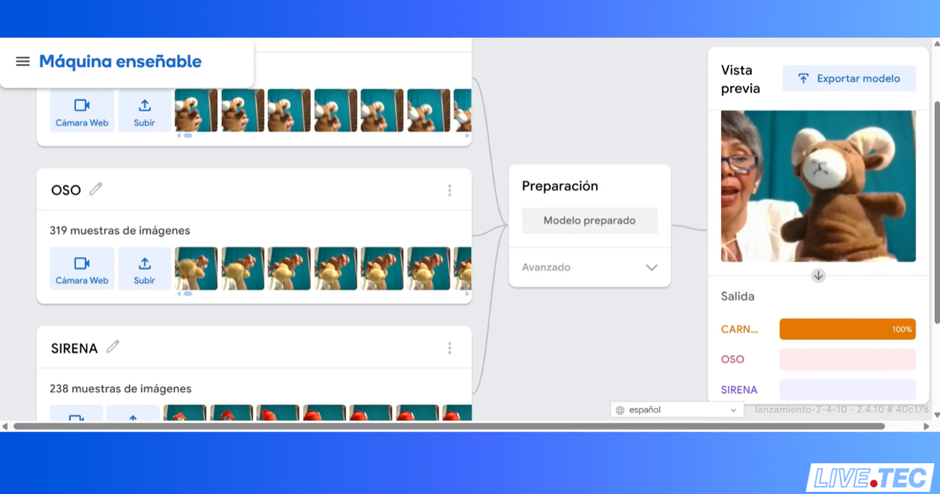
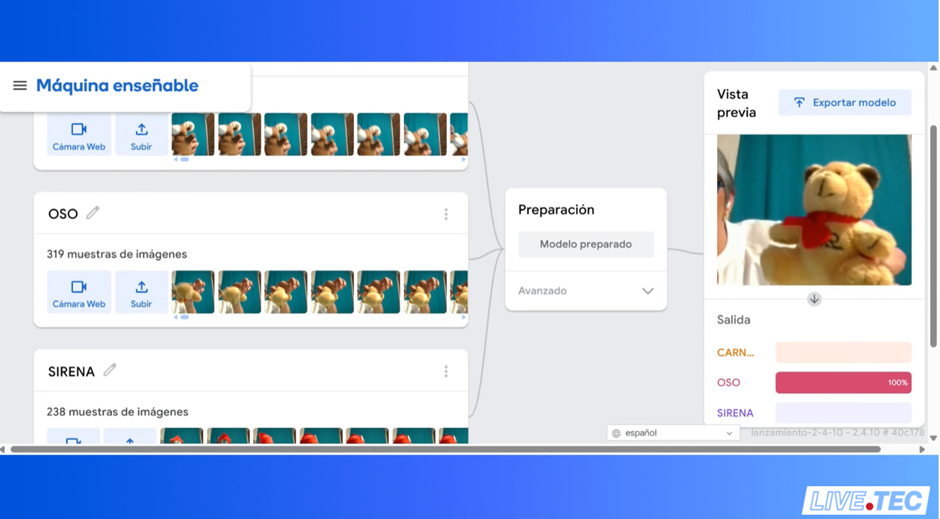
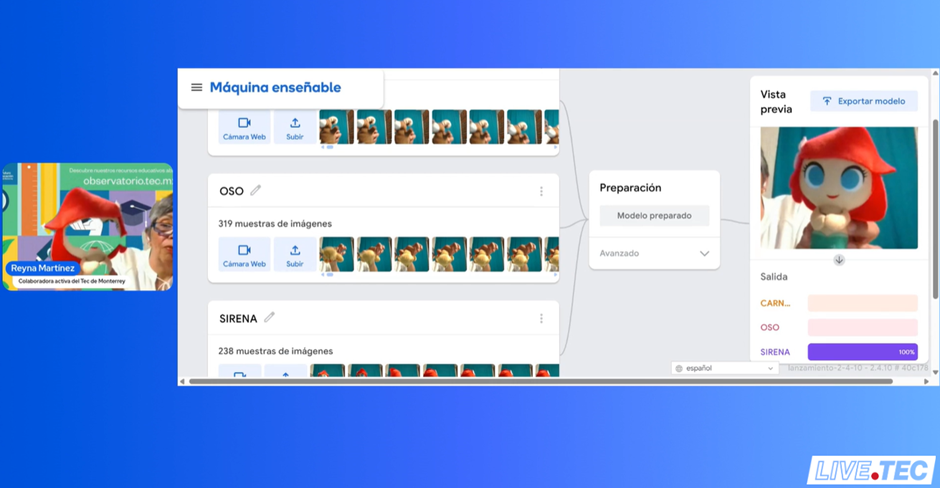
5. Test and adjust. Check whether the model responds correctly to the objects presented and make corrections if necessary (see images 8, 9, and 10).
6. Export or use directly. The model you created can be used from the browser or integrated into other applications (see images 11 and 12).
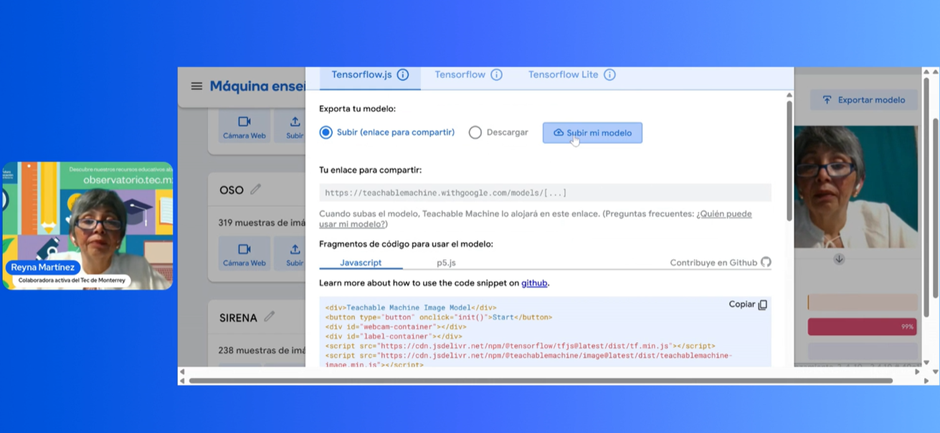
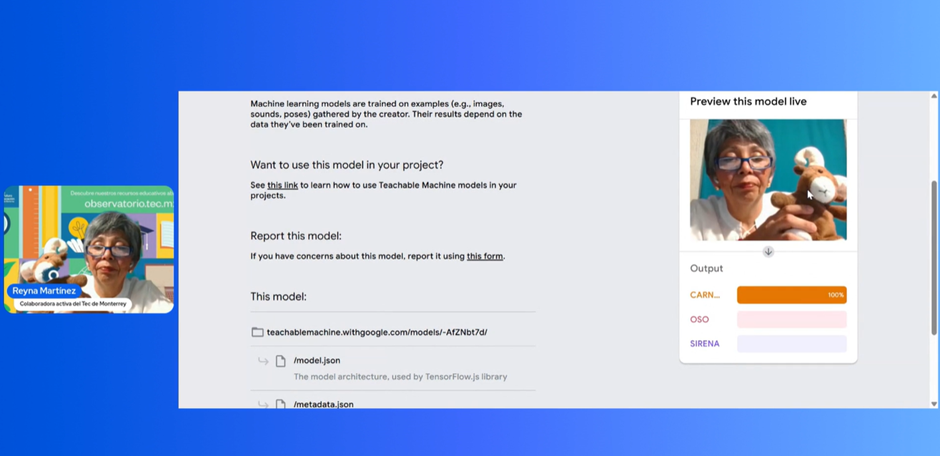
This practice, which Professor Reyna shared in the webinar, teaches us how to use AI models in education so that students use new technologies not indiscriminately but under the teacher’s didactic and pedagogical design.
Let us remember that the teacher’s specialties include designing the learning activities, establishing educational paths, monitoring the learning processes, and assessing the learning. Continuing to do this ensures that students actively and proactively interact with new AI and emerging technologies.
***
The tools mentioned in this article are not issued, operated, or managed by Tec de Monterrey. The use of the applications mentioned in this document is for illustrative purposes only, intended to demonstrate what we can achieve through the use of open AI applications. Learn more about the official resources used by Tecnológico de Monterrey: https://tedu.tec.mx/es/PSA-IA
***
About the Speaker
Professor Antonieta Reyna Martínez Téllez (reyna.martinez@tec.mx) holds an Electronics and Communications Engineering degree from the Autonomous University of Nuevo León. She also holds a Master’s in Administration, specializing in Marketing from the Tecnológico de Monterrey. Her professional career has focused on education, with a constant interest in integrating innovative methodologies and technology in the classroom.
She has 33 years of teaching experience at the Tecnológico de Monterrey High School. She has always applied innovative pedagogical models and technological tools in teaching mathematics to enrich her students’ learning experience. She continues to give lectures, workshops, and courses for teachers and researchers, focusing on the educational use of artificial intelligence and its integration in the classroom.
Her knowledge and leadership in education have allowed her to participate as a speaker in various educational forums, nationally and internationally, where she has shared his experience in active methodologies and the integration of Artificial Intelligence in the classroom.
Translation by: Daniel Wetta